
End of Summer · $249 $199
Free UPS shipping + taxes/import fees included

Free App · iOS and Android

Real-time rack status on your phone

The Kraken Rack Monitor app shows each vacuum mount's status and alerts you if one drops below the alert threshold while you drive.

Requires the Kraken Rack Monitor hardware device. No subscription. No in-app purchases.

Download on the App StoreGet it on Google Play

Only 10 left · Free UPS shipping · Taxes/import fees included · 30-day returns

Two Rack Views

Standard or Tactical

Both views show the same live mount status and alerts. You can switch between them at any time.

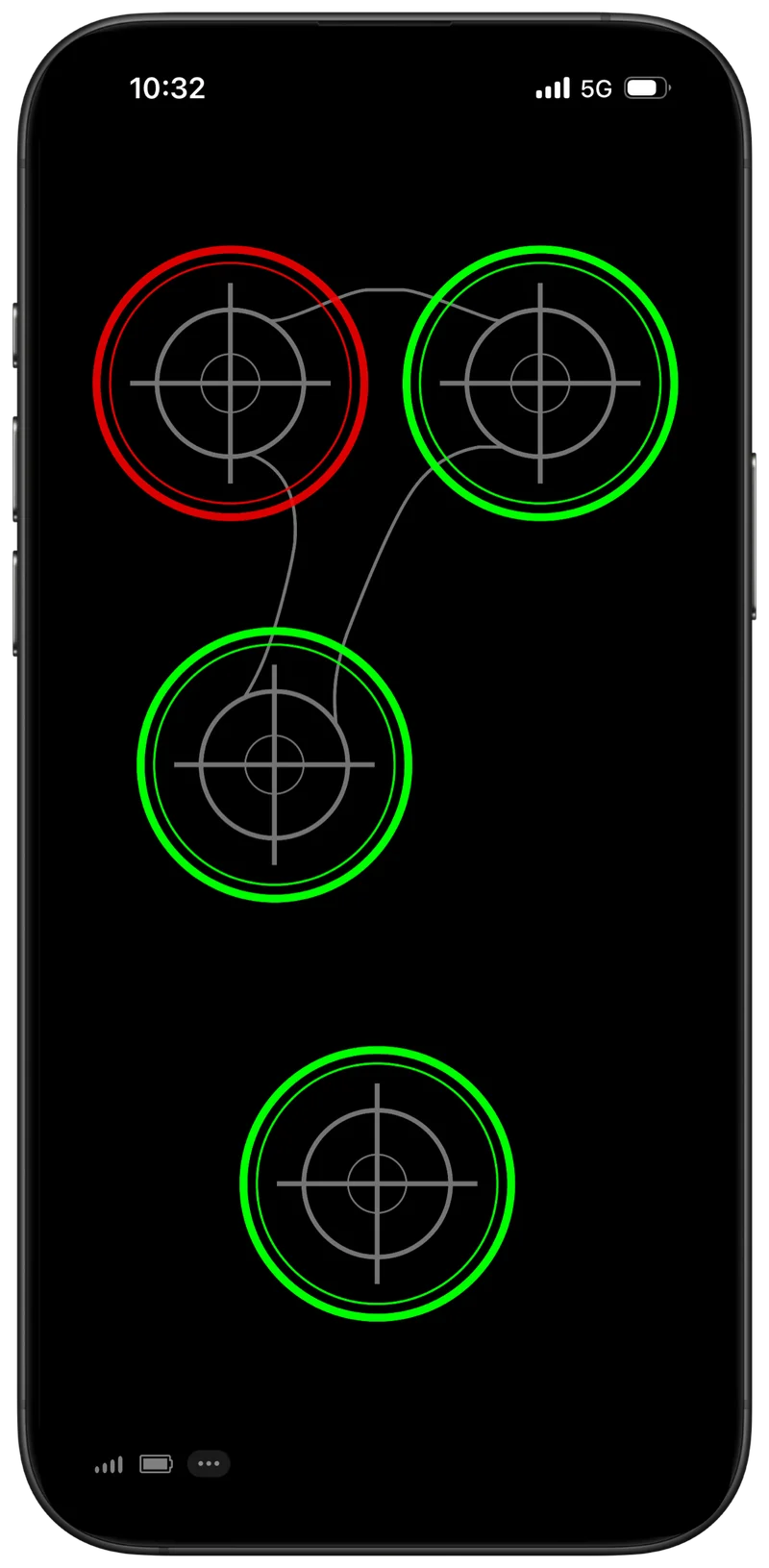
Standard view

Clear, minimal status monitoring designed for quick checks and low distraction.

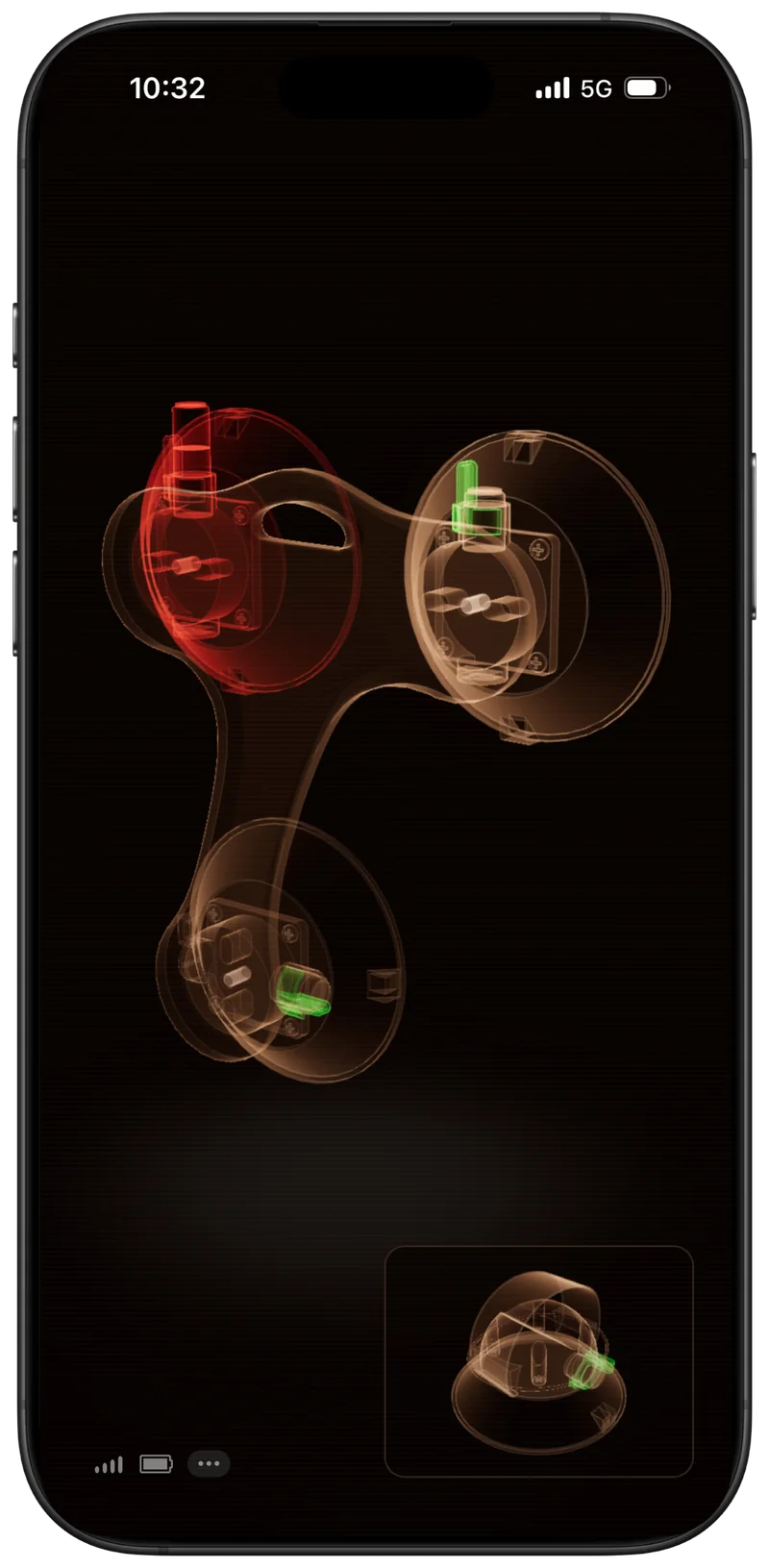
Tactical view

A more visual 3D representation of your rack with the same live status and alerts.

Kraken app Standard view: four vacuum mount indicators, one showing an alert
Standard viewDefault
Kraken app Tactical view: a 3D representation of the rack with one mount highlighted
Tactical viewOptional 3D
Configure & Customize

Make the app match your rack

Set up the app to reflect your physical rack, then choose how you want it to look. Select a feature to see it in action.

App demo — Reverse Orientation01 / 03
While You Drive

Use maps, music, and other apps

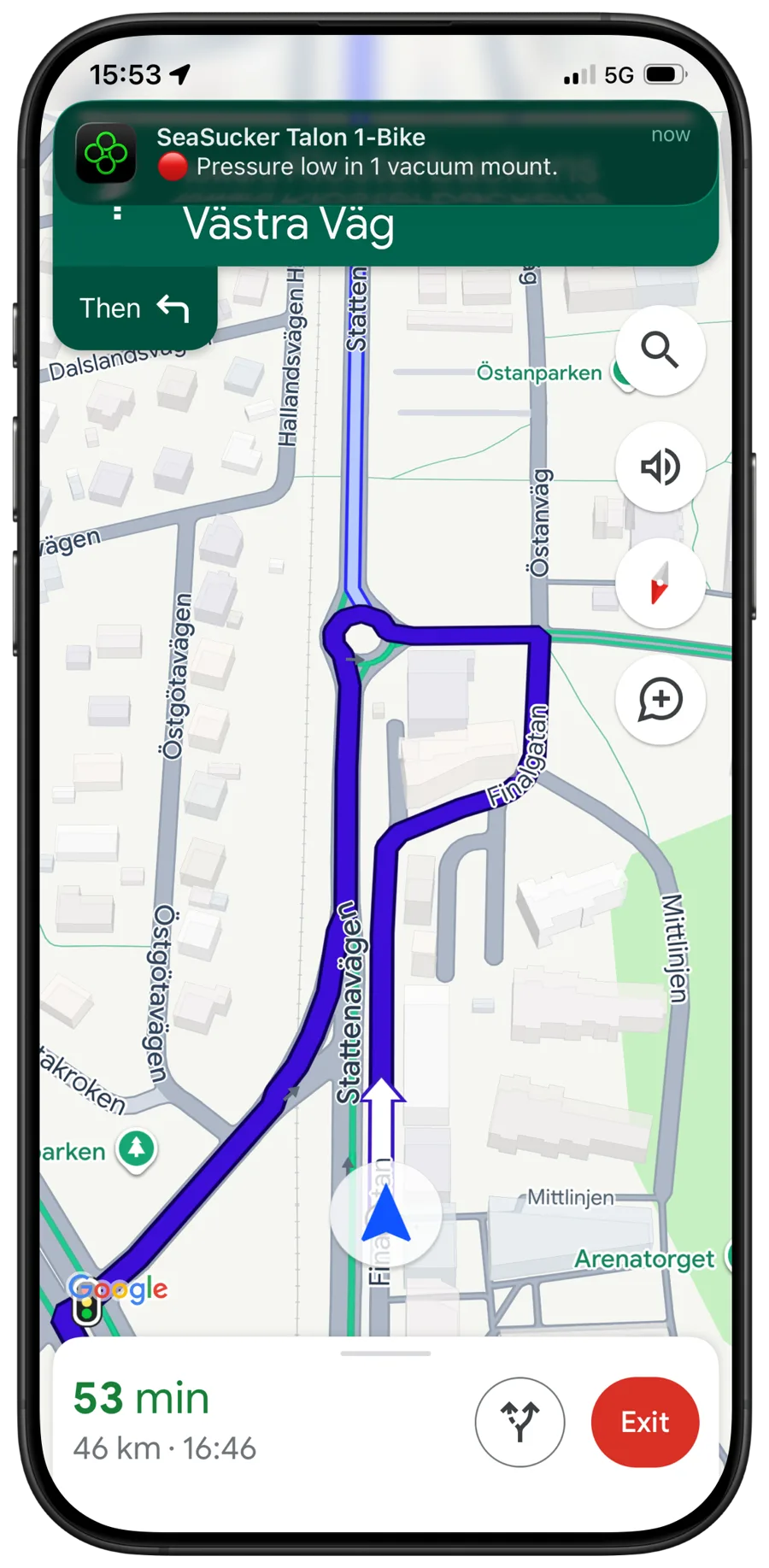
Kraken can run in the background, so you can use navigation, music, or other apps while monitoring your rack. For the most reliable monitoring experience, keep the app active whenever possible.

  • Navigation

    Use maps while Kraken monitors.

  • Music

    Alerts can still notify you while you listen to music.

  • Notifications

    Notifications tell you how many mounts need attention.

  • Sound Alarm

    Clear audible warning when attention is needed.

iPhone showing turn-by-turn navigation with a Kraken notification: pressure low in 1 vacuum mount
No Mobile Data Required

Bluetooth-connected

The app communicates directly with the Kraken hardware over Bluetooth. You do not need internet, mobile data, or Wi-Fi for the monitoring connection while driving.

  • No Internet

    An internet connection is not needed to use the app.

  • Bluetooth

    The app connects with the Kraken device wirelessly over Bluetooth.

  • Signal Strength

    See the Bluetooth signal strength between your phone and Kraken at a glance.

  • Battery Level

    Check the Kraken device's remaining battery level before and during your drive.

Owner Review

The app is so easy to use! The monitor connects seamlessly! It's amazing!

@dctreemtbAndrew Crabtree

Watch Andrew's demo
Andrew Crabtree smiling, wearing a cap
Verified owner — @dctreemtb
FAQ

App questions

Still have a question? Get in touch and I'll answer personally.

Do I need the Kraken hardware to use the app?

Yes. The app only works with a Kraken Rack Monitor device. It receives status updates from the hardware installed on your rack and cannot monitor vacuum mounts by itself.

Is the app required?

Yes. The Kraken Rack Monitor app is required to view mount status and receive alerts. It is the main interface for the rack monitor.

Is the app free?

Yes. The app is free to download and use with your Kraken Rack Monitor. There are no subscriptions or in-app purchases.

Can I monitor multiple racks at the same time?

Currently, the Kraken Rack Monitor app supports one monitor at a time. If you use multiple SeaSucker racks simultaneously, you'll only be able to monitor one rack at a time. Multi-monitor support is something I'd like to add in the future.

How does the app connect to the rack monitor?

The app connects to the Kraken Rack Monitor device via Bluetooth. Open the app, switch on the device, and it connects automatically.

Do I need internet or mobile data?

No. The app communicates with the Kraken Rack Monitor device over Bluetooth, so you do not need internet, mobile data, or Wi-Fi while monitoring your rack.

Will alerts work if I'm listening to music?

Yes. If a vacuum mount drops below the alert threshold, the app can lower your music volume and play an audible alarm.

Alert behavior may depend on your phone's volume, focus mode, Bluetooth audio setup, and operating system settings.

Does the app need to stay open?

No. The app can run in the background while you use navigation, music, or other apps.

For the most reliable monitoring, it's recommended to keep the Kraken Rack Monitor app active whenever possible, since background behavior can be affected by your phone's operating system and power-saving settings.

Will the screen stay awake while using the app?

Yes. When the app is open, it prevents the screen from automatically locking, making it suitable for dashboard mounting and at-a-glance monitoring.

Need the hardware?

The app requires a Kraken Rack Monitor device installed on a supported rack.

View Product – $199

Only 10 left · 30-day returns · 1-year warranty

New to Kraken? See how it works.